
To illustrate how DNM Architecture uses AI as a tool to rapidly develop design ideas, we are turning to AI itself. Our experience shows that AI does not simply save time that would be spent on tedious renderings (it does that, too), but it opens up an entirely new avenue of “what if”. The images should never be interpreted literally, but they evoke alternate possibilities at a hallucinating quickness. ArchiCAD 29 already incorporates AI features and we are especially excited about the work at Spacial AI that is developing engineering solutions for residential architecture (full disclosure: I am an adviser to Spacial AI). We see AI as a labor saving technology – that’s clear – but more importantly as a means to offer new services for our clients and to design more “comprehensively,” considering more options and possibilities in our search for ideal architectural solutions.
NOTE: THIS ARTICLE IS ABOUT 95% WRITTEN BY AI*
For decades, the architectural design process has been marked by a distinct language barrier. On one side, the architect speaks in the precise, technical dialect of CAD (Computer-Aided Design)—a world of orthographic projections, floor plans, and black-and-white line weights. On the other side, the client speaks in the language of emotion, atmosphere, and “curb appeal.”
Bridging this gap has traditionally required the labor-intensive process of 3D modeling and rendering. A single photorealistic image could take days to texture, light, and render. Consequently, clients often saw only one or two polished options, with little room for “what if?”
Enter the new wave of Generative AI image software. By utilizing “Image-to-Image” (Img2Img) and edge-detection technologies, architects can now instantly transmute basic CAD lines into fully realized architectural photographs. This workflow is not just a party trick; it is fundamentally altering how residential design options are explored and presented.
The Workflow: From Lines to Logistics
The process of using AI to develop design options from basic CAD is surprisingly streamlined, effectively turning the AI into a “digital watercolorist” that paints strictly within the lines provided by the architect.
Step 1: The "Digital Skeleton"
The workflow begins in standard software like ArchiCAD (the CAD software of DNM Architecture), Revit, or Rhino. The architect exports a simple screenshot in JPG format or saves a PDF of the design. This could be a 2D elevation of a house facade, a rough 3D massing model, or even a floor plan. The key is high contrast—dark lines on a light background—which acts as the “skeleton” for the AI.
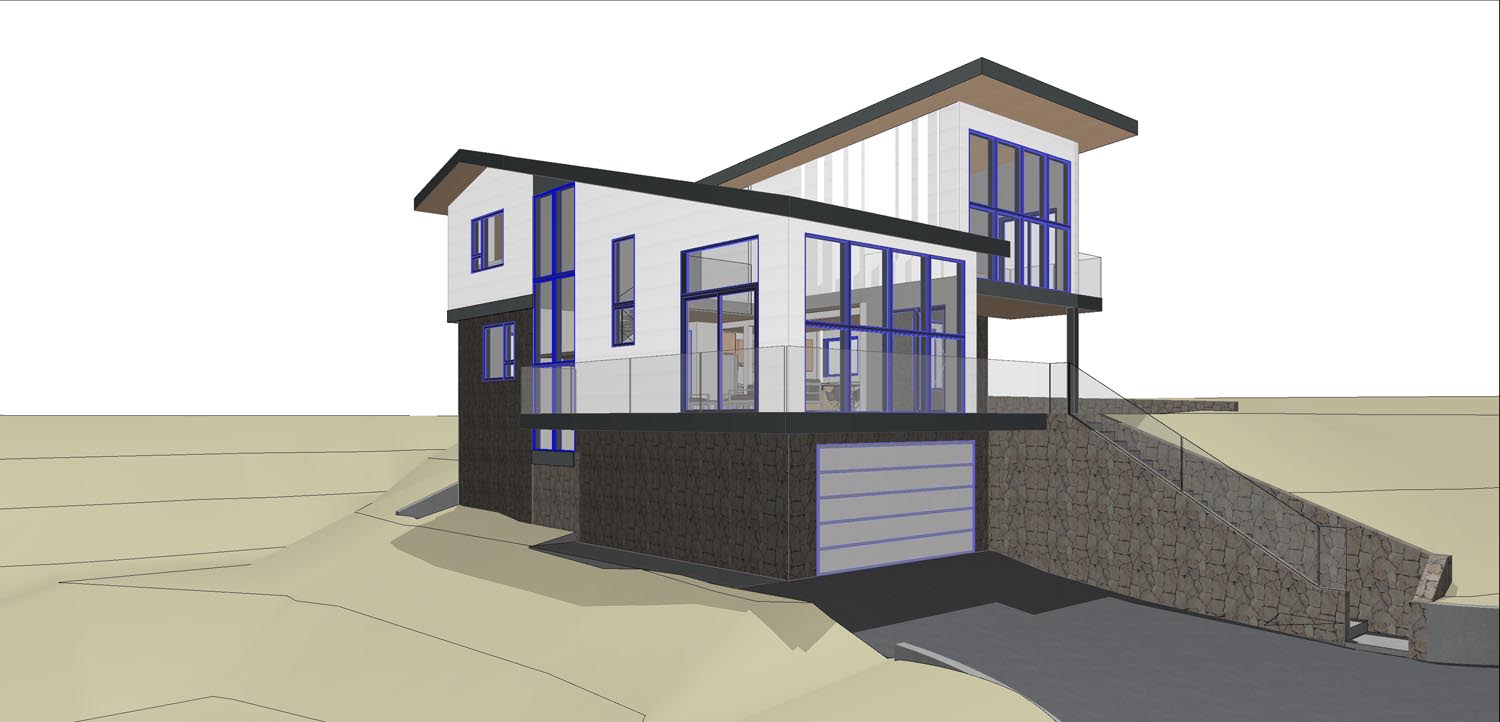
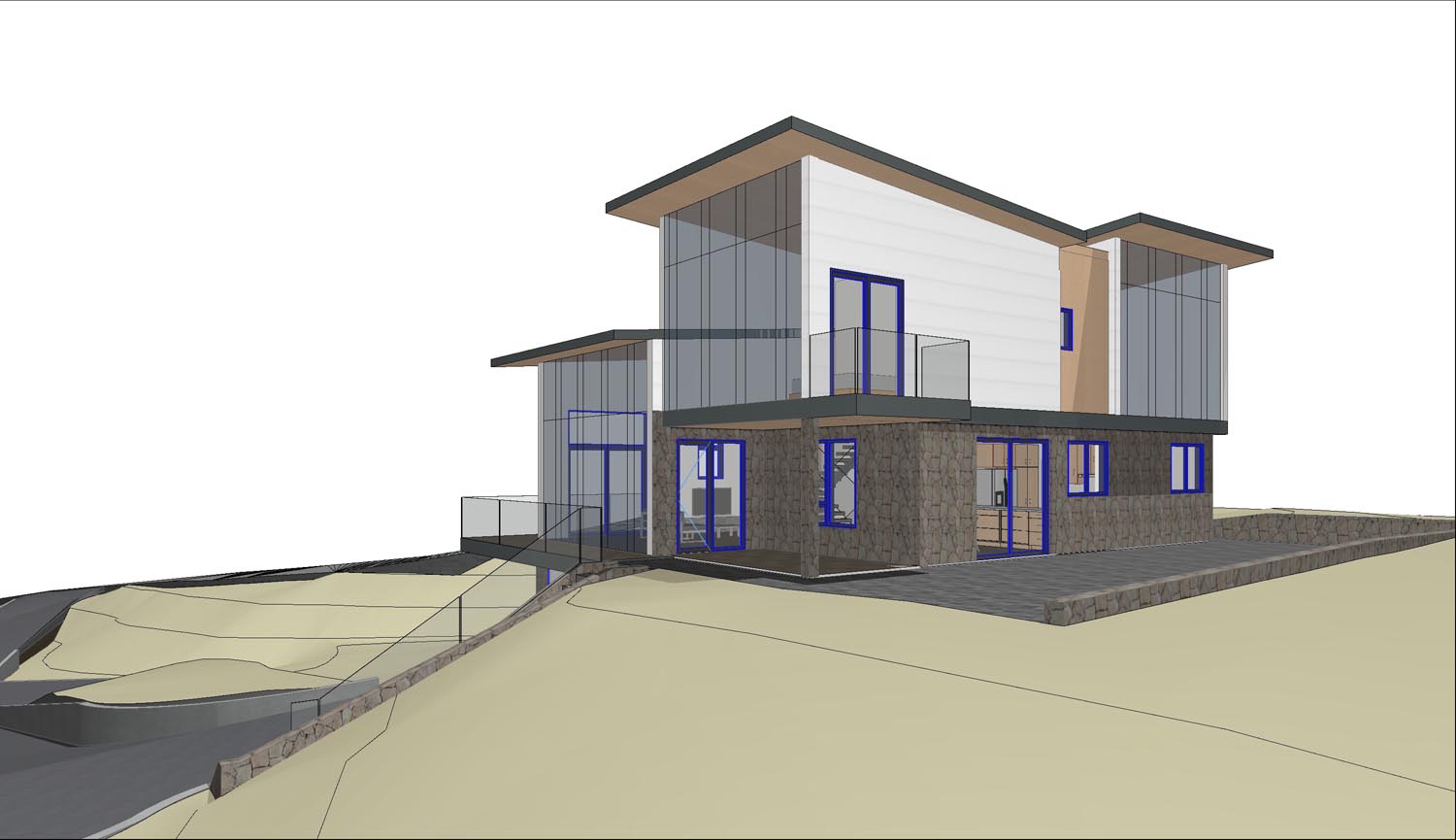
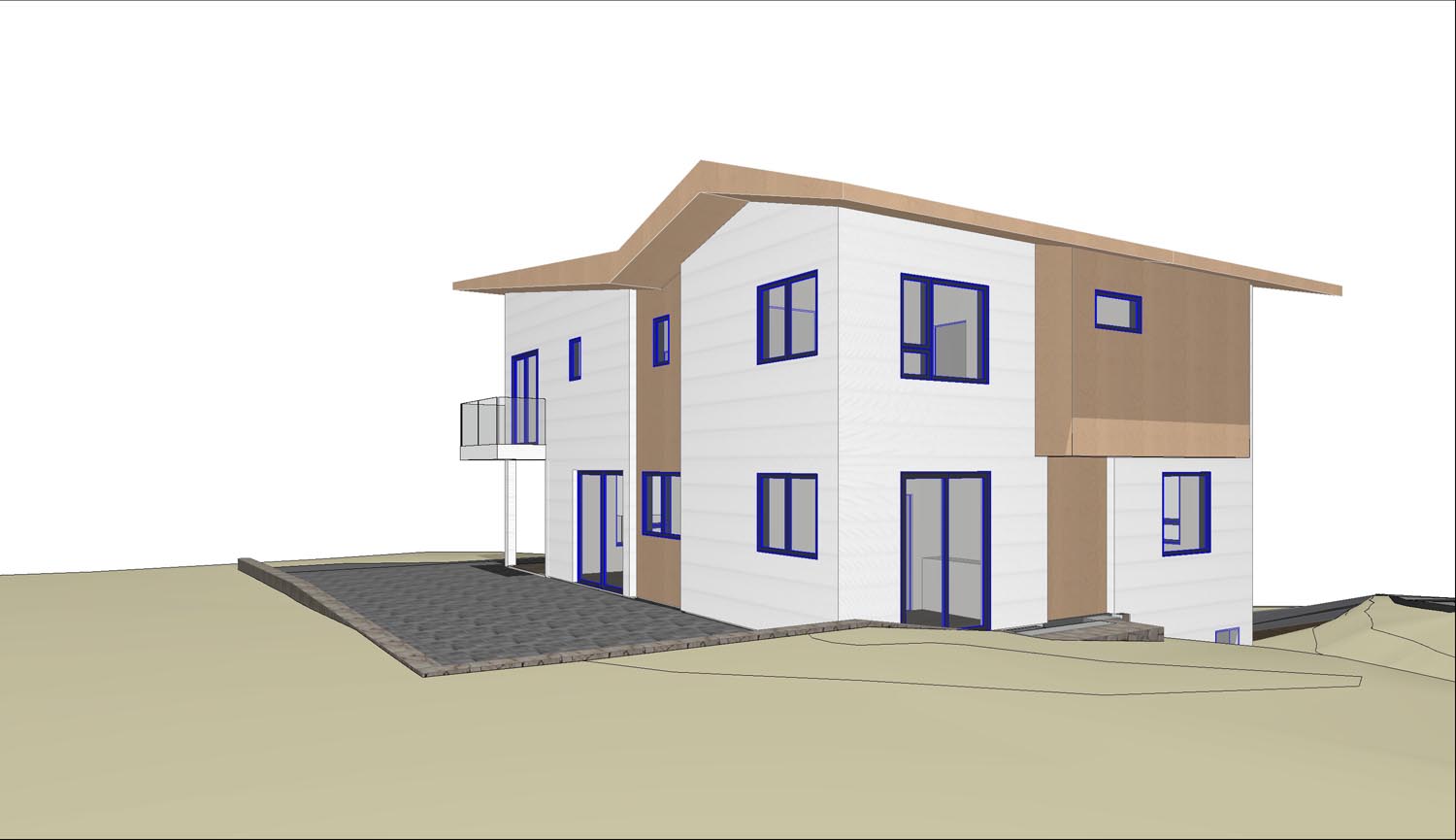

Step 2: The Prompted Variation


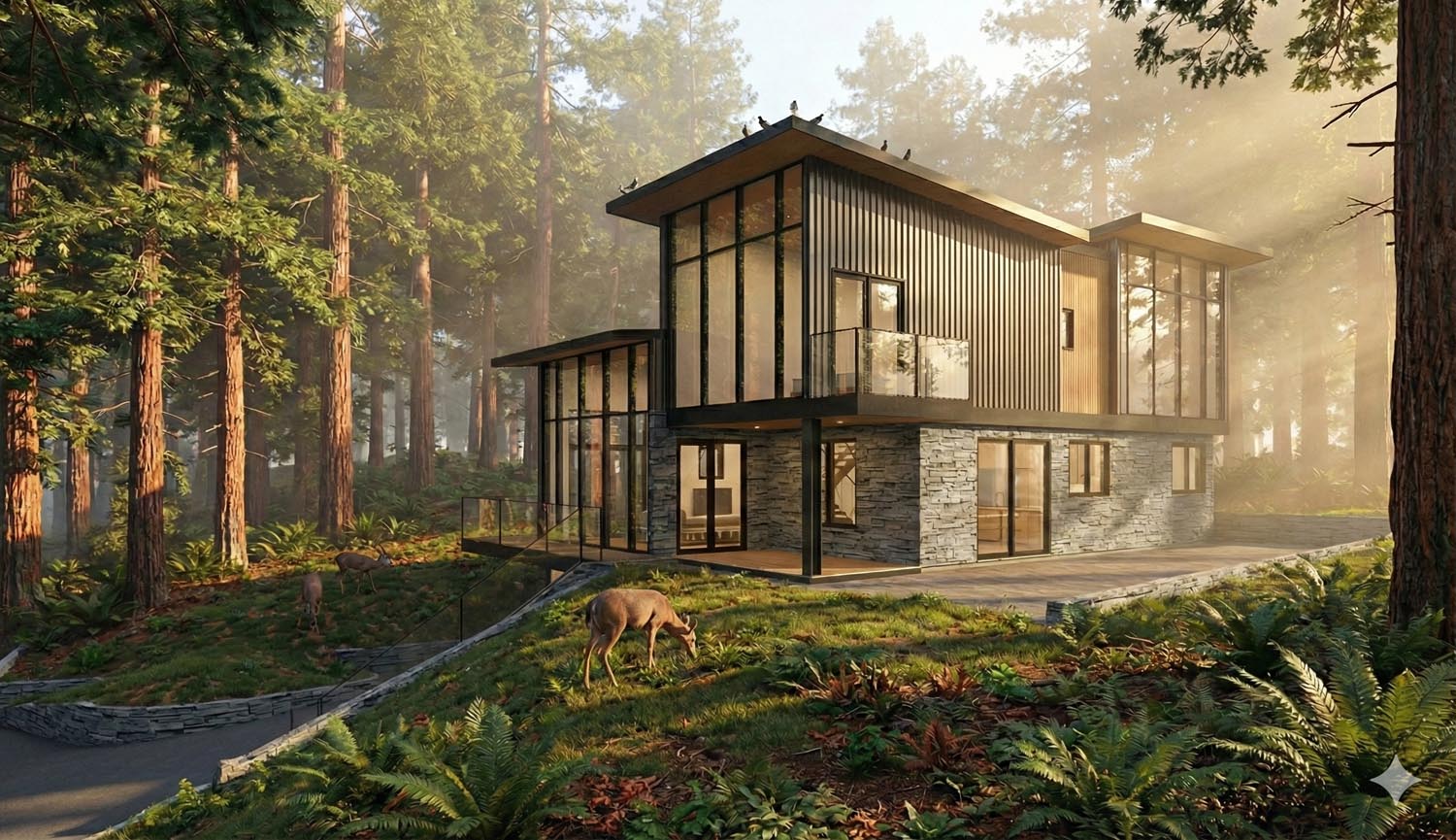
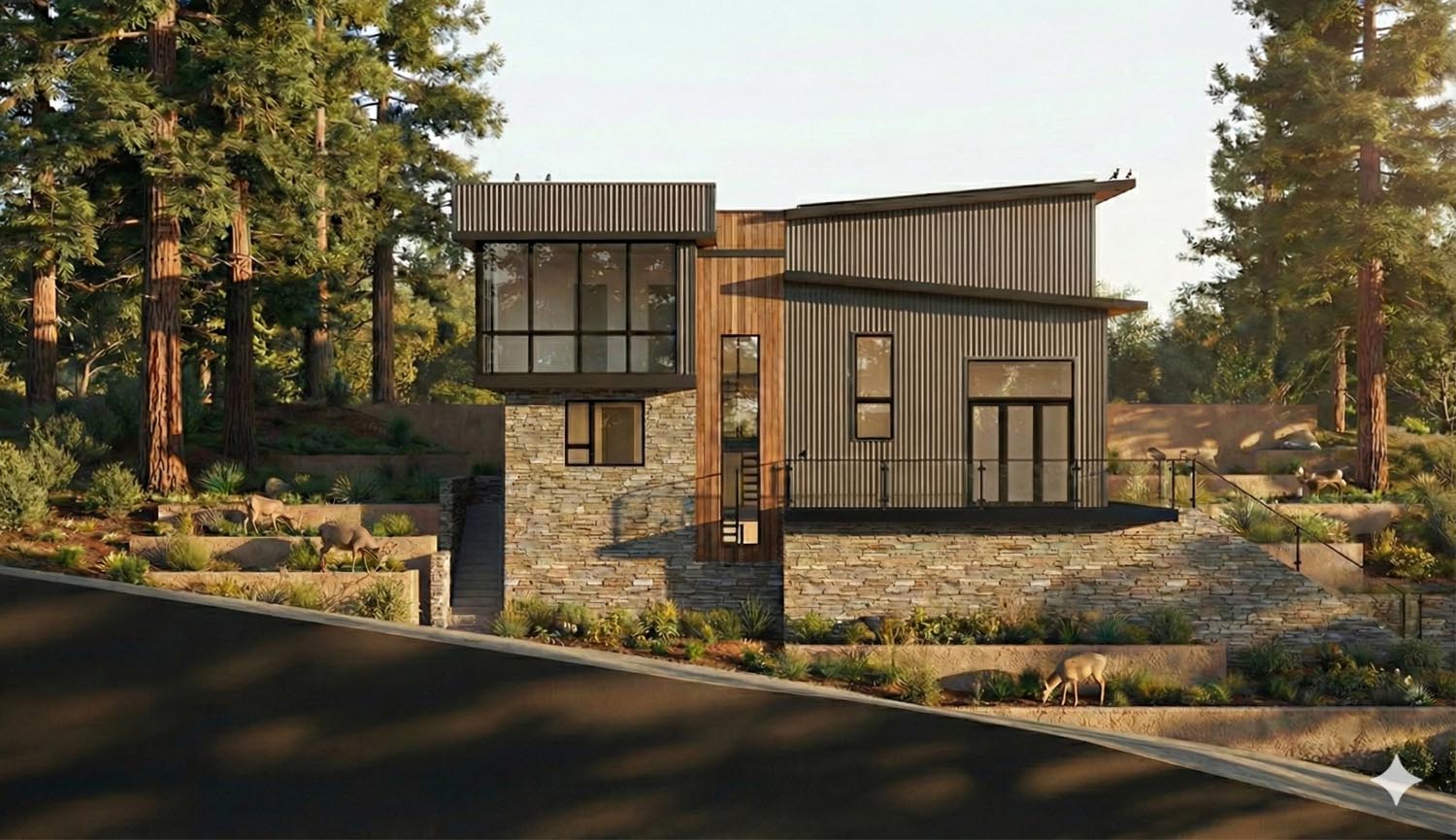
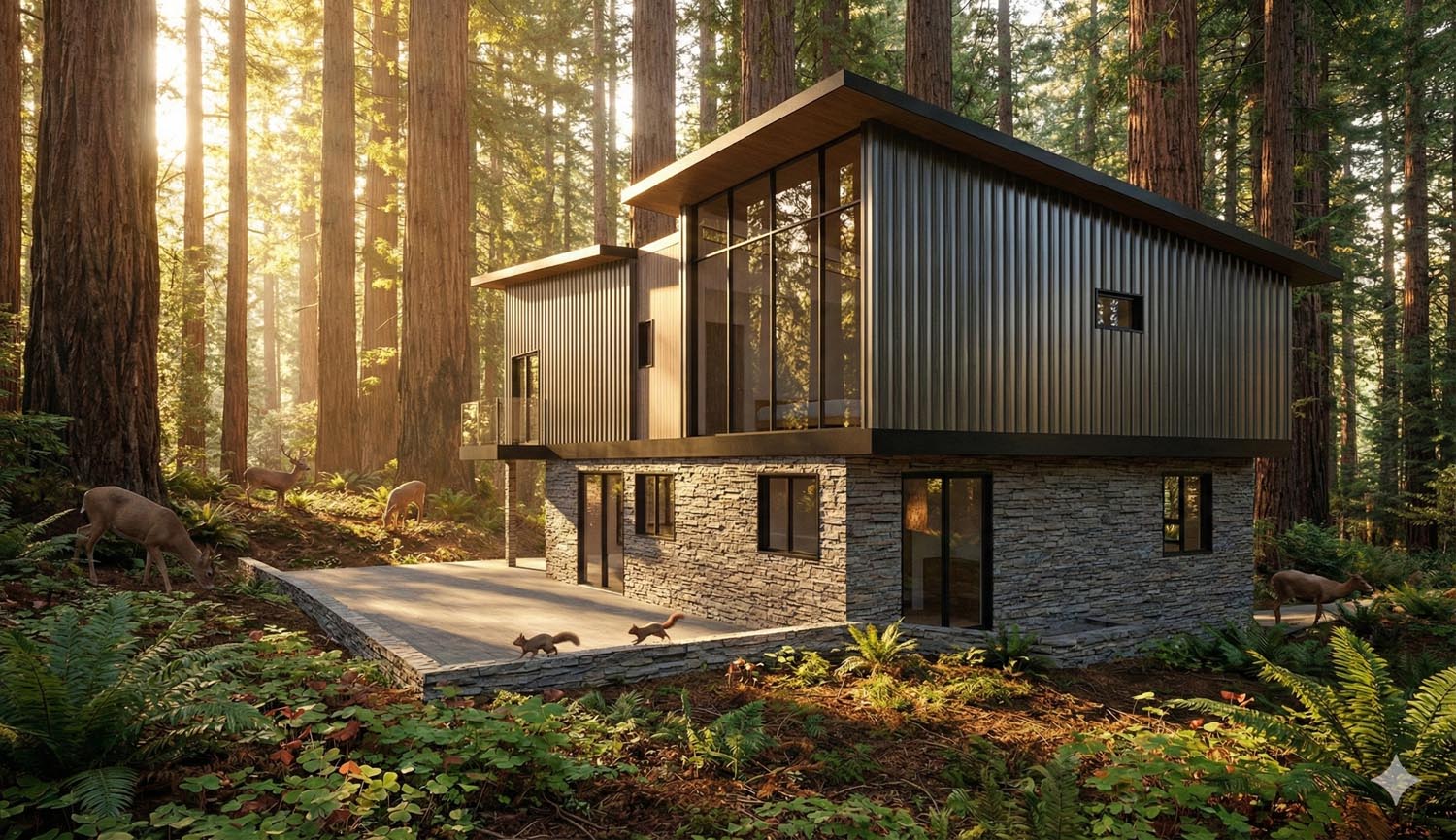
Step 3: “Rinse and Repeat”


Benefits to the Architect: The "Unstuck" Switch
For the architect, this workflow solves the paralysis of the blank page.
Rapid Prototyping: In the early schematic phase, architects often fall into the trap of committing to a single idea too early because visualizing alternatives is too time-consuming. AI allows for “divergent thinking” at high speed.3 An architect can test a brick facade versus a stucco facade in the time it takes to sip their coffee.
Visual Brainstorming: AI often suggests material combinations or lighting effects the architect hadn’t consciously considered.4 It acts as a collaborative partner, throwing ideas back at the designer. A stray reflection in an AI image might inspire a real-world detail.
Efficiency and Cost: Creating high-fidelity renderings traditionally costs thousands of dollars in billable hours or outsourcing fees.5 By moving this capability in-house and automating the heavy lifting, firms can produce higher-quality presentations for a fraction of the cost, preserving the budget for actual design work rather than marketing.
Benefits to the Client: Co-Creation and Confidence
For the residential client, who is often making the largest financial investment of their life, this technology is an empathy engine.
Demystifying the Blueprints: Most clients cannot look at a 2D floor plan and hallucinate a 3D home. They nod politely at drawings they don’t understand. AI renders translate the abstract lines into a language they speak—sunlight, wood grain, and mood. This leads to faster approvals because the client actually sees what they are buying.
The “What If” Safety Net: In traditional meetings, if a client asked, “What if the house was blue instead of white?” the architect would have to say, “I’ll mock that up and show you next week.” With AI, this can happen live. The client becomes a co-creator, seeing their ideas validated (or discarded) in real-time. This creates a sense of ownership over the final design.
Emotional Decision Making: Homes are emotional purchases. AI allows the architect to sell a feeling, not just a building. By showing the house in the rain, at Christmas, or bathed in golden hour light, the client connects with the experience of living there, leading to higher satisfaction and trust in the design team.
Conclusion
The integration of AI image software into the architectural workflow is not about replacing the architect; it is about replacing the drudgery of visualization. It frees the architect to focus on form and function while allowing the AI to handle texture and light. For the residential market, this means a future where design options are limitless, communication is crystal clear, and the path from a CAD line to a dream home is shorter than ever before.
*Prompts for his article were “750 word article describing process of using AI image software to develop residential architectural design options from basic CAD images. Benefits to architect and clients.” Software was Google Gemini Pro.
Sources:
(cited by Gemini)
Tencent Cloud
www.tencentcloud.com
What are the advantages of AI image generation in architectural visualization?
NoTriangle Studio
notrianglestudio.com
AI For Architects: Tools, Benefits & Building Plan Insights – NoTriangle Studio
Pixready
www.pixready.com
AI Architecture Rendering in 2025 Benefits & Examples – pixready
ArchDaily
www.archdaily.com
How AI-Powered Rendering Crushes Bottlenecks in Architecture and Interior Design
ArchiVinci
www.archivinci.com
Why Architects Are Switching to AI Render Tools? | ArchiVinci